1. Export a CSV file from Live Timecode Notes app
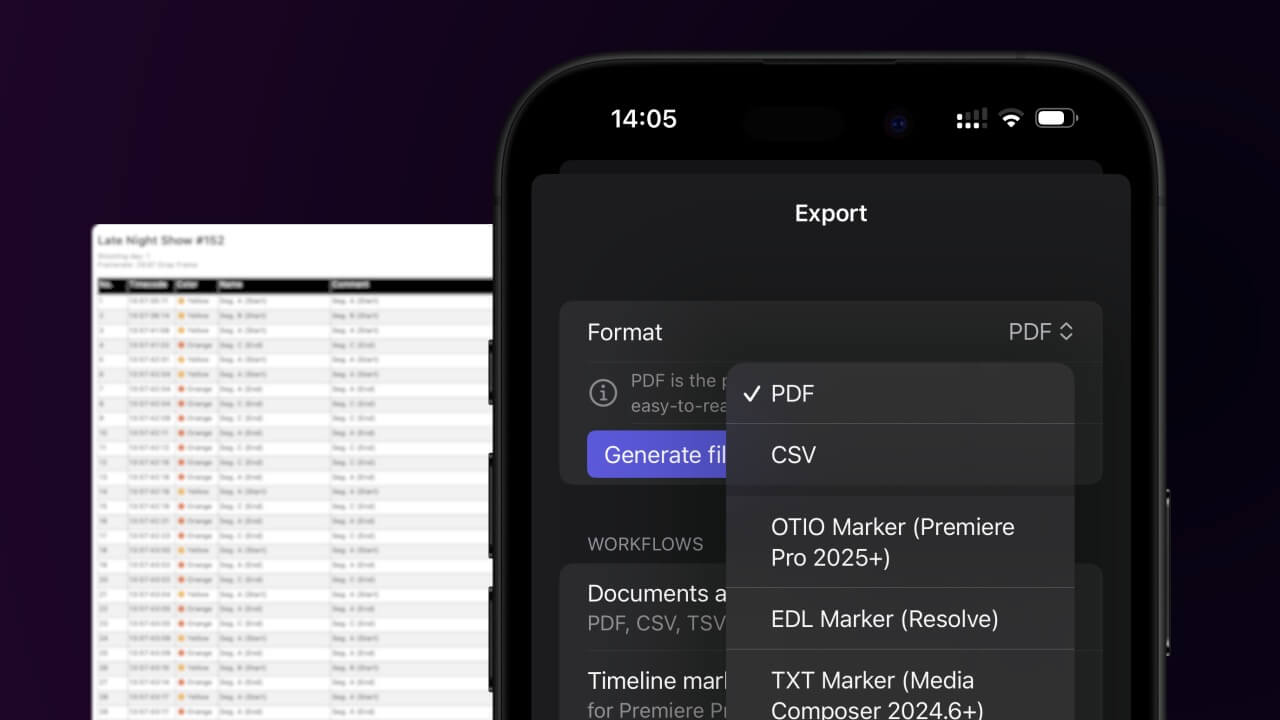
Open the project in the app, then select "Export Notes" from the top menu. Select "CSV". Generate and save the file.
2. Use the "Εργαλείο & μετατροπέας υποτίτλων" to convert the CSV file into a DFXP subtitle file
Open the free Εργαλείο & μετατροπέας υποτίτλων, select "CSV" and set "convert" to "DFXP". Generate and download the file. Αν αντιμετωπίζετε προβλήματα με τη μετατροπή του αρχείου, μπορείτε να επικοινωνήσετε με τη δωρεάν υποστήριξη.
Make sure the CSV contains a column called "Timecode In", "Timecode Out" and "Subtitle". Otherwise it will not work.
🚀 Έτοιμο
Αυτά για την ώρα! Αν βρήκατε χρήσιμο αυτόν τον οδηγό, μοιραστείτε τον για να μας υποστηρίξετε. Αν έχετε προτάσεις για το πώς θα μπορούσαμε να βελτιώσουμε τη ροή εργασίας, ενημερώστε μας!