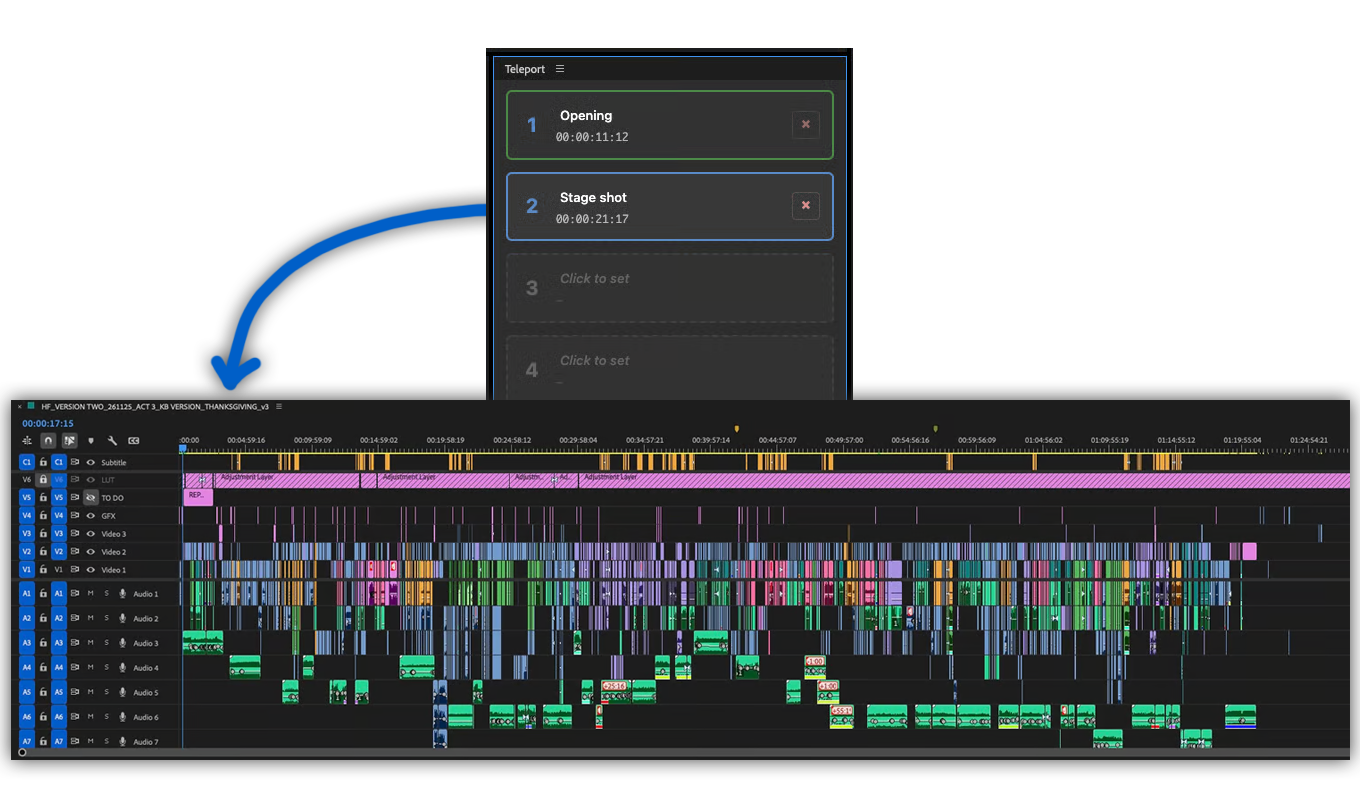
If you've ever worked with a director who wants to quickly grab a shot from scene two and move it to scene twelve, then you know what to do. You have to zoom out, scroll across a lot of clips to find the shot, move it, and then...where was I again? The Teleport plugin for Premiere Pro solves this issue.
για Adobe Premiere CC 2022+
Για Windows και MacOS.
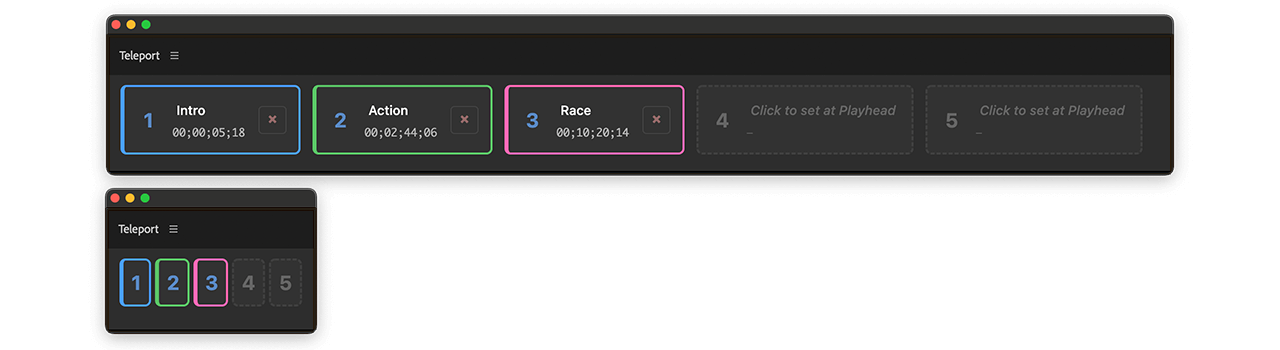
Teleport lets you drop a digital anchor anywhere in your timeline, allowing you to instantly jump back to that exact frame. No more searching for colored markers or memorizing timecodes!
How it works:
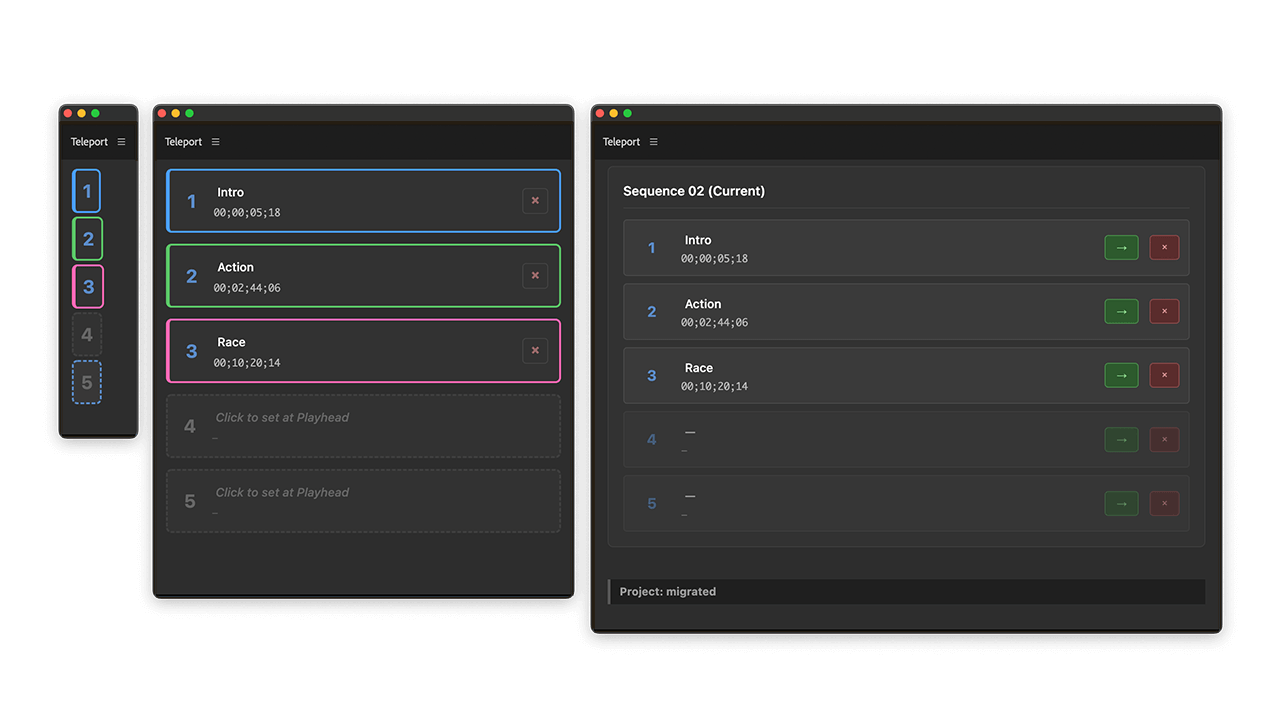
You can choose in between five different panel modes:
The "All timelines" view allows you to see all the anchors across your different project sequences, and enables you to easily jump to a position in other sequences.
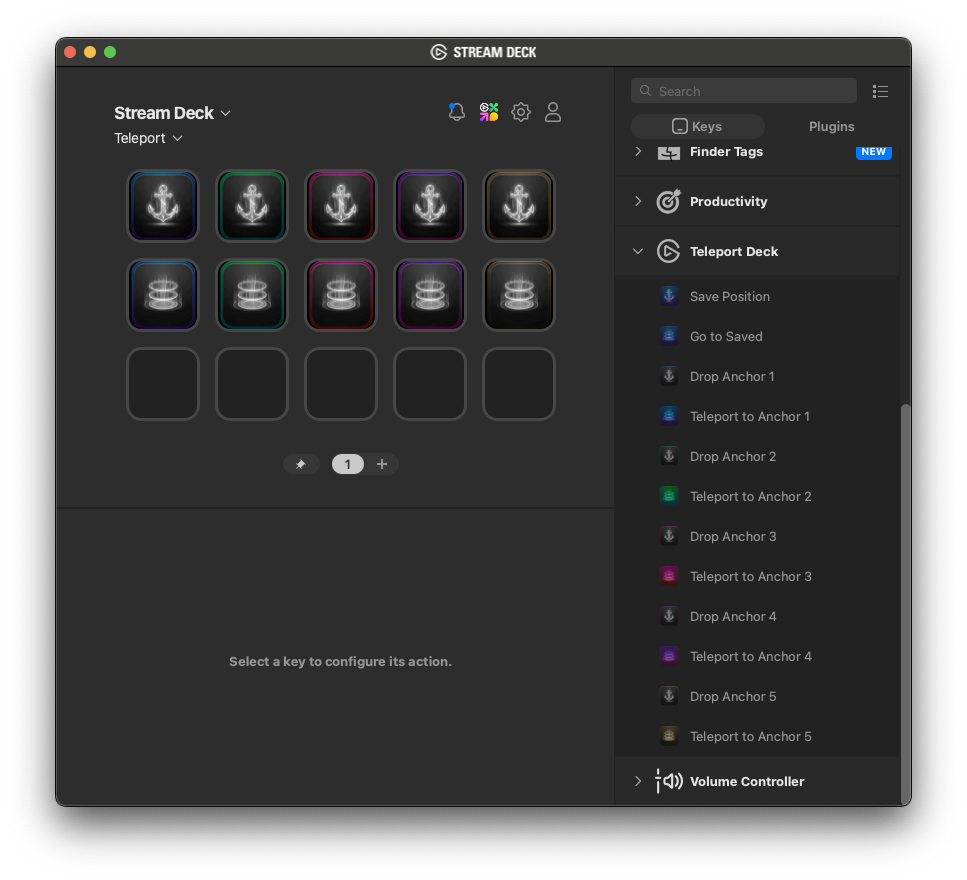
Download and install the Teleport Stream Deck add-on by opening the file with Stream Deck. Then, drag and drop the Anchor and Teleport buttons into your desired positions in the layout. You are now ready to start using the plugin.
We offer three types of licenses. The single-user license is ideal for freelancers who want to use the software on one or two computers. This license is tied to a single account. For companies, we offer a team license, which is bound to the company. The number of licenses can be chosen upon purchase, with a minimum of three licenses. We also offer an enterprise option. Please contact our sales team for more information. All licenses are perpetual.
Σημείωση: Το ίδιο το plugin είναι προς το παρόν διαθέσιμο μόνο στα αγγλικά.
Θα ανακατευθυνθείτε στην ασφαλή σελίδα πληρωμής της «Paddle». Η Paddle.com ενεργεί ως Merchant of Record (επίσημος πωλητής).
Αντίστροφη επιβάρυνση: Αν αγοράζετε για λογαριασμό εταιρείας και διαθέτετε αριθμό ΦΠΑ (VAT ID), ενδέχεται σε ορισμένες χώρες να μπορείτε να χρησιμοποιήσετε τη διαδικασία αντίστροφης χρέωσης. Στη σελίδα πληρωμής, κάντε κλικ στο «Add VAT ID» στα αριστερά, αφού επιλέξετε τη χώρα και τον ταχυδρομικό σας κώδικα.
Οι άδειες Business Team δεν μπορούν να αγοραστούν μέσω του Adobe Exchange Store.
Αν έχετε ερωτήσεις ή αιτήματα για νέες λειτουργίες, επικοινωνήστε με την ομάδα υποστήριξής μας. Θα χαρούμε να σας βοηθήσουμε!
To install the plugin, use an ZXP Installer like ZXP Installer from AE Scripts or Anastasiy Extension Manager. These installers are free.
If you already have the plugin installed and want to install a new version of the plugin, you can simply run the new installer. It is not necessary to uninstall the old version, the new one will overwrite everything.
You can activate the plugin panel in Premiere Pro menu under "Window > Extensions > Teleport".
Download and install the Stream Deck add-on to your Stream Deck application. Then, drag and drop the Anchor and Teleport buttons into their desired positions in the layout. If set up correctly, it should work instantly with the Premiere Pro panel.
If no clip is selected in the Timeline when you drop an anchor, Teleport will record the current timecode at the playhead's position.This will teleport you back to the same sequence timecode location each time.
If a clip is selected, the source timecode and clip name will be stored in the anchor. You will then be teleported back to that position within the clip, no matter where it has been moved in the timeline. If the clip has been deleted, Teleport will issue a warning. If the clip has been trimmed to remove the anchor timecode from the sequence, Teleport will take you to the first frame of the clip.
All anchors are sequence-specific, even if you rename the sequence because Teleport uses Premiere's internal ID system.
Yes. It also works on air-gapped systems.
Όχι, τα δεδομένα σας παραμένουν στον υπολογιστή σας.
Ναι. Το plugin σχεδιάστηκε για να υποστηρίζει όλους τους τύπους έργων, συμπεριλαμβανομένων παραγωγών με αυστηρούς περιορισμούς και υπογεγραμμένα NDA. Δεν μοιράζεται δεδομένα με άλλες συσκευές εκτός από τις δικές σας.
Κλείστε και ανοίξτε ξανά το πάνελ. Αυτό θα πρέπει να φορτώσει ξανά το plugin και να λύσει το πρόβλημα. Αν αυτό δεν λειτουργήσει, δοκιμάστε να επανεκκινήσετε το Premiere ή να εγκαταστήσετε ξανά την πιο πρόσφατη ενημέρωση του plugin.
Φροντίζουμε πάντα ώστε το plugin να λειτουργεί στην πιο πρόσφατη έκδοση του Adobe Premiere. Υποστηρίζονται το Premiere 2022, 2023, 2024, 2025 και νεότερες εκδόσεις.
Αν αντιμετωπίζετε προβλήματα με το plugin, βεβαιωθείτε ότι έχετε εγκαταστήσει την πιο πρόσφατη έκδοσή του. Επίσης, μη διστάσετε να επικοινωνήσετε με την υποστήριξή μας ανά πάσα στιγμή, αν αντιμετωπίσετε οποιοδήποτε πρόβλημα.
Το plugin αναπτύχθηκε για Windows 10 και MacOS 12 (Monterey). Αυτό δεν αποκλείει προς το παρόν άλλες εκδόσεις, αλλά δεν μπορούμε να αποκλείσουμε προβλήματα κατά τη χρήση με παλαιότερες εκδόσεις. Αν χρησιμοποιείτε παλαιότερο λειτουργικό σύστημα, ενημερώστε μας για την εμπειρία σας.
Αν αγοράσατε το plugin χωρίς να δημιουργήσετε λογαριασμό, υπάρχουν δύο τρόποι για να κατεβάσετε μια ενημέρωση ή να κατεβάσετε ξανά το plugin. Η πιο γρήγορη επιλογή είναι να δημιουργήσετε έναν δωρεάν λογαριασμό με τη διεύθυνση email που σχετίζεται με την αγορά σας. Έτσι, η άδεια χρήσης που αγοράσατε θα συνδεθεί αυτόματα με τον λογαριασμό σας. Μόλις συνδεθείτε, θα βρείτε το plugin στις Αγορές και θα μπορείτε να το κατεβάσετε ξανά. Αν δεν βλέπετε το plugin σας, κάντε κλικ στο "Επανασύνδεση αγορών". Λάβετε υπόψη ότι ένα plugin μπορεί να επανασυνδεθεί αυτόματα μόνο αν χρησιμοποιείται η ίδια διεύθυνση email. Μια άλλη επιλογή είναι να επικοινωνήσετε με την ομάδα υποστήριξής μας και να ζητήσετε νέο σύνδεσμο λήψης. Ωστόσο, αυτή η διαδικασία ενδέχεται να διαρκέσει λίγο.
Αν χρειάζεστε μια νέα λειτουργία, επιλογή ή προσαρμοσμένη έκδοση του plugin, στείλτε μας ένα μήνυμα. Προσφέρουμε εξατομικευμένες λύσεις για επιχειρήσεις.
On Windows the extension can be easily uninstalled under "Add/Remove Programs".
On MacOS the extension can be easily uninstalled by deleting the folder "/Library/Application Support/Adobe/CEP/extensions/Teleport".